Zoho ERP Implementation Partner in Delhi NCR for SMEs
Delhi NCR businesses need ERP systems that can handle sales, finance, inventory, GST, approvals, customer follow-up, branch operations and management reporting without creating unnecessary complexity. Zoho can be a practical ERP platform when it is designed around real business processes.
Delhi NCR focus
Support for businesses across Delhi, Noida, Gurugram, Faridabad and Ghaziabad with local process and compliance needs.
Connected Zoho stack
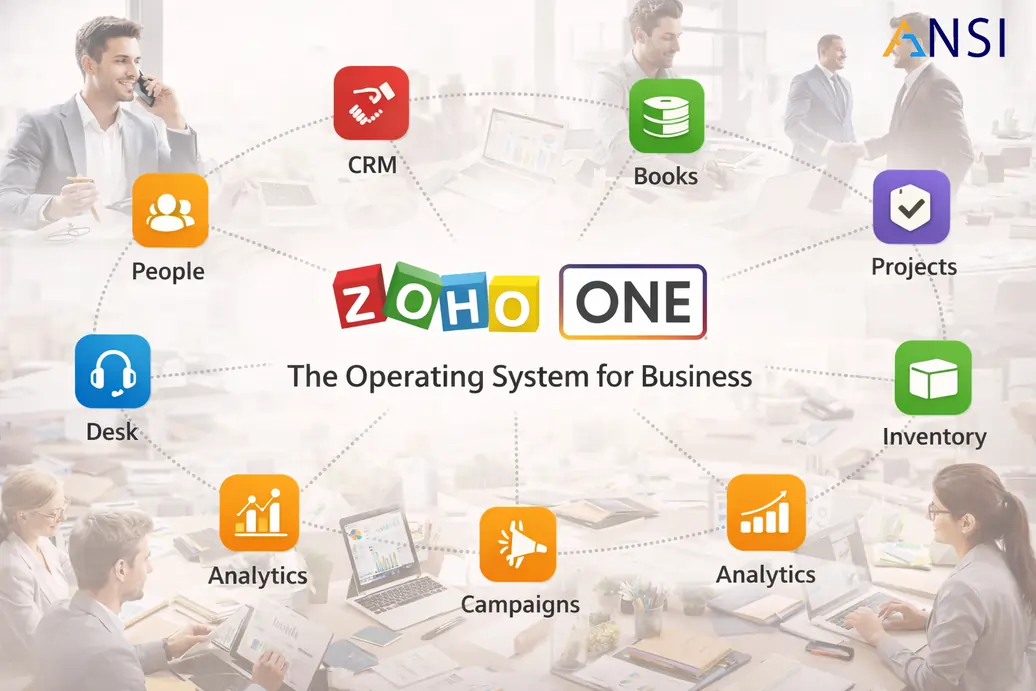
Use Zoho CRM, Books, Inventory, People, Projects, Analytics and Creator in a structured ERP roadmap.
Implementation control
Map business processes, migrate data, configure workflows, train users and support the business after go-live.
Zoho ERP implementation in Delhi NCR should not be treated as a simple software setup. A growing company needs a clear operating model: how enquiries become orders, how purchases are approved, how stock is tracked, how invoices are generated, how payments are followed up and how management reads performance every week.
ANSI Technologies helps businesses plan and implement Zoho as a connected business platform. The focus is on practical execution, clean data, user adoption and reporting clarity. For companies evaluating Zoho ERP implementation, the right starting point is process mapping before module configuration.
Why Delhi NCR businesses evaluate Zoho ERP
Delhi NCR has a wide mix of trading companies, distribution businesses, ecommerce teams, professional services firms, manufacturers, logistics operators and technology companies. Many of these businesses start with spreadsheets, standalone accounting tools or disconnected department systems. As they grow, manual tracking creates delays, duplicate data and weak visibility.
Zoho can help centralize business operations when it is configured correctly. Finance teams can manage invoicing and collections, sales teams can manage opportunities and follow-ups, operations teams can track orders and inventory, and management can view reports without waiting for spreadsheet consolidation.
Zoho modules commonly used in an ERP rollout
| Business area | Zoho capability | Implementation focus |
|---|---|---|
| Sales and customers | Zoho CRM | Lead capture, account management, sales pipeline, follow-up and quotation visibility |
| Finance | Zoho Books | GST-ready invoicing, expenses, collections, vendor bills and financial reporting |
| Inventory and orders | Zoho Inventory and connected apps | Item masters, stock visibility, sales orders, purchase orders and warehouse control |
| Projects and delivery | Zoho Projects | Task ownership, milestones, timesheets, delivery governance and project reporting |
| HR operations | Zoho People | Employee data, attendance, leave, approvals and HR workflows |
| Management reporting | Zoho Analytics | Dashboards for sales, finance, operations, collections and performance monitoring |
Implementation should begin with process discovery
Before configuration begins, the business should document current workflows and pain points. This includes sales enquiry handling, quotation approval, customer onboarding, purchase process, inventory movement, GST invoicing, payment collection, expense approval and reporting requirements. The output should be a practical blueprint, not a long theoretical document.
This discovery protects the project from rework. If approval rules, item masters, tax treatment and reporting needs are not understood early, the system may look correct during demo but fail in daily operations. A good Zoho implementation partner should ask business questions before setting up fields and workflows.
Zoho ERP implementation roadmap
- Review current systems, spreadsheets, users, approvals and reports.
- Confirm the modules needed for phase one and the modules that can wait.
- Prepare clean masters for customers, vendors, items, users and opening balances.
- Configure workflows for sales, purchase, finance, inventory and approvals.
- Integrate required tools such as website forms, payment systems or ecommerce platforms.
- Test real transactions with finance, sales, operations and management users.
- Train users and run a controlled go-live with post-launch support.
GST, finance and collection control
For Indian businesses, finance configuration needs careful attention. GST treatment, invoice formats, customer and vendor masters, chart of accounts, payment terms, credit control and collection follow-up should be reviewed with finance stakeholders. Zoho Books can support practical finance operations when the foundation is configured correctly.
Businesses that use Zoho Books should connect finance setup with sales and operations processes. For example, the sales team may need invoice status visibility, management may need receivables aging, and operations may need order status clarity. These requirements should be part of the ERP design.
Inventory, trading and distribution scenarios
Delhi NCR has many trading and distribution businesses where stock visibility is critical. Zoho implementation should define item codes, units of measure, warehouse structure, stock adjustment rules, purchase process, sales order flow and reporting. If inventory is not designed properly, finance and operations will disagree on stock, margin and fulfillment status.
For businesses with multiple branches or warehouses, the system should also define approval responsibilities, user access, inter-branch visibility and reporting views. The goal is to give operations practical control without overcomplicating daily transactions.
Integrations and custom workflows
Many businesses need Zoho to connect with websites, ecommerce platforms, payment gateways, logistics tools, HR systems, external databases or custom applications. Integration should be planned carefully so data remains reliable. The business should decide which system owns each record and how errors will be handled.
When standard Zoho configuration is not enough, custom workflows can be built using Zoho Creator, Zoho Flow, APIs or custom applications. These should be used only where they solve a clear process gap. Unnecessary customization increases support complexity.
User training and adoption
ERP success depends on users. Sales, finance, operations and management teams need role-specific training. A salesperson should understand how to manage leads and follow-ups. A finance user should understand invoices and collections. An operations user should understand orders and inventory. Management should understand dashboards and exception reports.
Training should use the company process and sample data, not only generic product screens. After go-live, a short support period is important because real questions appear only when users begin daily work.
Data migration and master data preparation
Data migration is one of the most important parts of a Zoho ERP rollout. Customer names, vendor records, item codes, tax details, opening balances, stock quantities and user lists should be cleaned before import. Poor data creates confusion even when the software configuration is correct.
Delhi NCR businesses often operate across multiple teams and branches, so master data ownership should be defined early. Finance may own chart of accounts and tax settings. Operations may own item masters. Sales may own customer classification. This ownership keeps Zoho reliable after go-live.
Reporting for owners and management teams
A Zoho ERP implementation should end with useful management reporting. Owners need visibility into receivables, sales pipeline, order status, purchase commitments, stock position, project progress and team productivity. Dashboards should be simple enough for weekly review and detailed enough to support decisions.
Phase planning for lower risk rollout
A Zoho ERP project does not have to include every department in the first release. Many SMEs start with CRM, finance and core operational reporting, then add inventory, projects, HR, analytics and custom workflows in later phases. This makes the rollout easier for users and reduces the risk of unfinished configuration.
Phase planning is especially useful when teams are spread across Delhi, Noida, Gurugram and other NCR locations. Each team can adopt the parts of Zoho that matter most to daily work while leadership still keeps a clear roadmap for the full platform.
Post go-live support and optimization
After go-live, users will raise real questions that were not visible during workshops. Reports may need adjustment, approval paths may need small changes and data cleanup may continue. A planned support window helps the business stabilize faster and protects user confidence.
How ANSI Technologies helps Delhi NCR businesses
ANSI Technologies supports Zoho ERP planning, implementation, integration, migration, customization, training and support for businesses in Delhi NCR and across India. The service connects with Zoho ERP consulting, Zoho One implementation, Zoho CRM consulting, Zoho Books setup and broader Zoho implementation services.
Planning a Zoho ERP rollout in Delhi NCR?
ANSI Technologies can review your current systems, map your business processes and create a practical Zoho ERP implementation roadmap for Delhi, Noida, Gurugram, Faridabad and Ghaziabad teams.
Frequently asked questions
Is Zoho ERP suitable for businesses in Delhi NCR?
Yes. Zoho can be a strong fit for Delhi NCR businesses that need cloud-based sales, finance, inventory, HR, projects and reporting workflows in a connected platform.
Which Zoho apps are used in an ERP rollout?
Common apps include Zoho CRM, Zoho Books, Zoho Inventory, Zoho People, Zoho Projects, Zoho Analytics, Zoho Flow and Zoho Creator depending on the business requirement.
How long does Zoho ERP implementation take?
A focused first phase may take a few weeks, while a wider ERP rollout with data migration, integrations and custom workflows can take longer. Timeline depends on scope, data readiness and user availability.
Can Zoho handle GST and Indian finance requirements?
Zoho Books can support GST-ready invoicing and finance operations when it is configured with correct tax settings, chart of accounts, customer data and finance workflows.
Does ANSI Technologies support Zoho after go-live?
Yes. ANSI Technologies can provide post-go-live support, user training, enhancement planning, integrations, reporting improvements and process optimization.
