

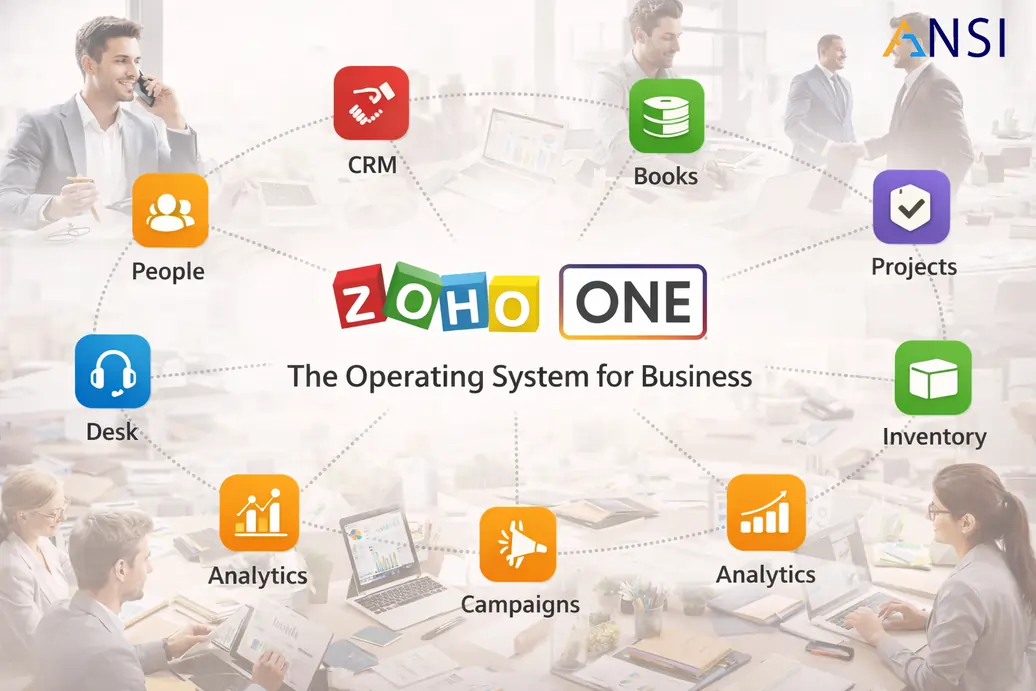
Zoho One Department Rollout Playbook for Growing SMEs
A Zoho One rollout playbook for SMEs that want CRM, finance, projects, HR, support and automation to work as one operating model.
Zoho One should be implemented as an operating model
Zoho One gives growing businesses access to many connected applications, but the value depends on how those applications are organized. A company can have CRM, Books, Projects, Desk, HRMS and automation available, yet still operate in silos if the rollout is not designed carefully. The question is not how many apps are included. The question is how departments should work together.
ANSI Technologies supports Zoho One implementation services for SMEs that want a connected operating model across sales, finance, HR, delivery and support. The rollout should define the sequence of apps, ownership of data, approval rules, reporting structure and adoption plan before users are asked to change daily work habits.
Connect CRM opportunities, customer records, quotations, invoices and collections.
Link sold work to project milestones, tasks, timesheets and management dashboards.
Use helpdesk workflows so service issues are visible to account owners and managers.
Choose the rollout sequence carefully
Launching too many Zoho One apps at once can overwhelm users. A better approach is to begin with the process that creates the most pain or the highest business impact. For many SMEs, that is CRM and finance. For service businesses, it may be CRM and Projects. For support-heavy businesses, Desk may be an early priority. HRMS can be added when employee records, approvals and attendance need stronger control.
| Phase | Typical apps | Outcome |
|---|---|---|
| Foundation | Zoho CRM, users, roles, core data and dashboards. | Sales and customer data become easier to manage. |
| Finance control | Zoho Books, quotations, invoices, tax and collections. | Billing and cash follow-up become more structured. |
| Delivery control | Zoho Projects, milestones, tasks and timesheets. | Management can see project progress and delivery risk. |
| Support and people | Zoho Desk and Zoho HRMS. | Customer service and employee workflows become more organized. |
Automation should support the process, not complicate it
Zoho One provides many automation options, but every automation should have a clear reason. Approvals, alerts, field updates and task creation should reduce manual work and improve accountability. Automation should not hide unclear ownership or force users into complicated paths that managers do not review.
- Use lead assignment rules only after sales territories and ownership are clear.
- Automate invoice reminders only after payment terms and contact data are reliable.
- Create project tasks from approved deals only when scope information is complete.
- Escalate support tickets based on real service priority, not generic urgency labels.
- Use Zoho automation services for workflows that are measurable and easy to maintain.
- Reserve Zoho customization services for requirements that cannot be solved through standard configuration.
How to keep Zoho One clean after go-live
A successful Zoho One rollout does not end at launch. The system should be reviewed every month for adoption, data quality, reporting gaps, approval delays and repeated user questions. This review helps the business improve without adding unnecessary complexity.
For leadership teams, Zoho One should become a practical view of sales, finance, projects, service and people operations. If dashboards are not trusted, the problem is usually data ownership or process design. If users avoid the system, the problem is usually training, layout or workflow complexity.
- Which reports are used in management meetings?
- Which fields are mandatory and owned?
- Which automations are saving time?
- Which apps are underused?
- Which teams need more training?
- Which process should be improved next?
Department-by-department rollout model
A Zoho One program becomes manageable when every department has a defined first win. Sales may need lead assignment and pipeline visibility. Finance may need invoicing and collections control. Projects may need milestone tracking. Support may need SLA visibility. HR may need employee records and approvals. These wins should be planned in a sequence that the business can absorb.
The rollout should also decide which department owns each master data set. Sales may own accounts and contacts, finance may own tax and billing data, HR may own employee records and delivery managers may own project templates. Without ownership, Zoho One can become a shared platform where no one trusts the information.
Start with CRM if lead visibility, follow-up and pipeline discipline are the biggest gaps.
Start with Books if billing, collections and cash visibility are urgent.
Start with Desk or Projects if delivery and support are creating customer experience risk.
Reporting architecture across departments
Zoho One should give leadership one connected view of the business. That requires consistent reporting design across departments. Sales reports should connect with invoicing where possible. Project reports should explain delivery progress. Support reports should show customer experience. HR reports should show people operations and approvals. These dashboards should be planned together, not separately.
When departments build reports independently, numbers may not match and management loses confidence. A shared reporting architecture gives leaders cleaner visibility and helps teams understand how their updates affect the wider business.
How to avoid app sprawl inside Zoho One
Because Zoho One includes many applications, teams may start using apps without a common design. This creates app sprawl. The business should maintain a simple governance rule: every app must have a process owner, a reporting purpose and an adoption plan. If those three are missing, the app should not be launched widely.
Review the suite quarterly. Retire duplicate workflows, improve dashboards, simplify fields and train teams on the next useful capability. This keeps Zoho One clean and prevents it from becoming a collection of partially used tools.
When to expand beyond the first phase
Expansion should happen when the first phase is stable. That means users are updating records, managers trust dashboards, exceptions are documented and the support team understands common questions. Expanding too early creates confusion because users are still learning the first process while a new process is introduced.
A controlled expansion rhythm keeps Zoho One practical and protects adoption across departments. This matters especially when multiple teams depend on the same customer, employee, project or finance data.
Delhi NCR planning note for Zoho One rollout
This Zoho One playbook should stay focused on department-by-department rollout. It should support the Delhi NCR Zoho implementation guide by showing how a growing business can connect CRM, finance, HRMS, projects, support and automation without launching too many applications at once.
For Delhi NCR companies, Zoho One should usually begin with the department where operational leakage is highest. Sales-heavy businesses may start with CRM and finance handover. Service businesses may start with CRM, Projects and Books. People-heavy businesses may start with HRMS, attendance, approvals and payroll readiness. The rollout sequence should be based on business risk, not software availability.
Connecting Departments Through Zoho One
Zoho One can connect sales, finance, HR, delivery and support through shared customer, employee and operational data. Businesses can combine Zoho CRM, Zoho Books, Zoho HRMS and Zoho Projects according to the processes included in each rollout phase.
Department-Based Training and Adoption
This staged model also makes training easier because users learn the workflows that matter to their department first, then gradually understand how their updates support the wider Zoho One environment.
Practical adoption note
The safest Zoho One programs keep documentation simple. Each department should know which records to update, which dashboards to review and where to raise change requests. This reduces confusion and protects consistency as more apps are adopted.
Frequently asked questions
When should a business choose Zoho One?
Zoho One is useful when a business wants connected applications for sales, finance, HR, projects, support and automation instead of separate disconnected tools.
Should every Zoho One app be launched at once?
Usually no. A phased rollout works better because teams can stabilize CRM, finance, projects or HR before expanding into the next process area.
How does ANSI Technologies support Zoho One?
ANSI Technologies helps define the operating model, configure apps, migrate data, integrate workflows, train users and support improvements after go-live.
Plan the next Zoho step for Delhi NCR
If your business is evaluating Zoho in Delhi NCR, start with the broader Delhi NCR Zoho implementation planning guide, then move into the relevant service area: CRM, Books, HRMS, ERP, Projects, Zoho One, customization or automation.
Need a practical Zoho One rollout plan?
ANSI Technologies can help you sequence Zoho One apps, define department workflows and build a connected operating model for growth.
Request Zoho One consultationExplore Zoho Solution Services